
Who can see saved clips in the Library
How roles decide who can save, see and download clips in the Library.
By the end you will know who can see the clips saved in Library. You will also know how to control it with roles.
Roles decide
Each person has a role. A role is a set of permissions (what someone is allowed to do).
- The role decides which cameras a person can see.
- The role decides if a person can save clips from each camera.
- If a role has the Save Clip permission for a camera, that person can make clips from it.
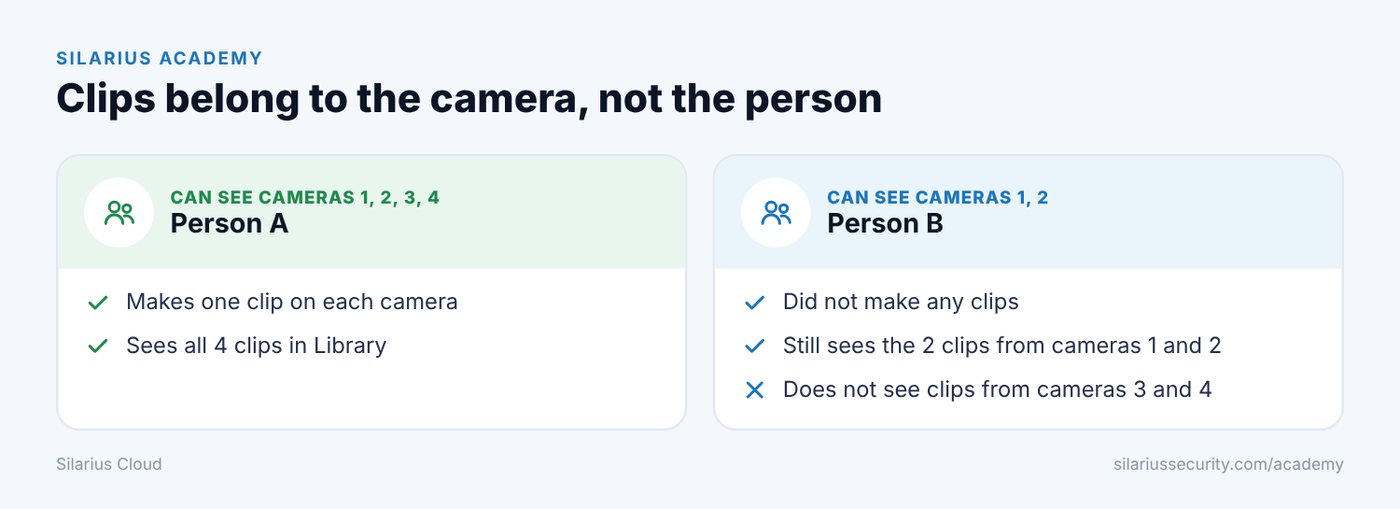
Clips belong to the camera, not the person
A clip becomes part of the camera's saved video. It is not tied to the person who made it.
So anyone who can see that camera can see its clips in Library.
An example
You have 4 cameras and 2 people.
- Person A can see and make clips on all 4 cameras.
- Person B can see only 2 of the cameras.
Person A makes one clip on each camera. Person B will see only the 2 clips from the 2 cameras they can see.
Good to know
- To hide clips from someone, take that camera out of their role.
Still stuck? We'll do it with you, free.
Silarius customers can get free remote help: sign in, click one button, and a Silarius technician joins your computer.