
How Silarius Cloud keeps your video safe
A plain look at how your video and account are protected, from the camera to the cloud to your screen.
By the end you will know how Silarius Cloud protects your video and your account. You will also know the settings you can use to make your account safer.
Your video is locked when it travels
All traffic in Silarius Cloud is encrypted (scrambled so others can't read it) while it moves. That includes viewers, admins, and the systems talking to each other.
- HTTPS (the secure web) is required everywhere.
- Traffic uses TLS 1.3, a modern encryption standard.
- Silarius X cameras send video through a secure tunnel locked with AES-256 encryption.
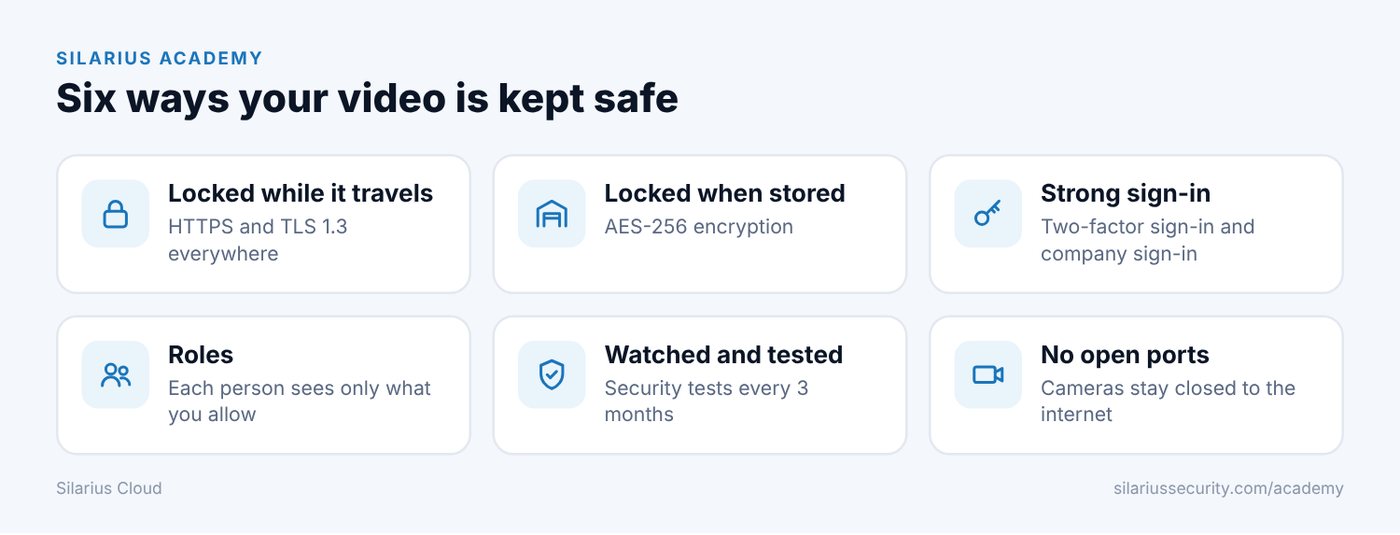
Your video is locked when it is stored
Stored video is encrypted with AES-256. Passwords and other sensitive details are stored encrypted too.
Video is kept with a major cloud data center provider. Each file gets a unique digital fingerprint (called a signature). Copies are spread across data centers to guard against loss.
Your account sign-in
- Two-factor sign-in (2FA) is available. It asks for a second check, like a code, on top of your password.
- Your company sign-in (SAML 2.0 single sign-on) and OpenID Connect are supported.
- Roles let you choose exactly what each person can see and do.
- Admin powers are kept separate, so people only get what they need.
Password rules
- At least 8 characters.
- At least one number.
- At least one symbol, like ! @ # $ %.
- You can change your own password.
- You can't reuse your last 3 passwords.
The cloud is watched and tested
- The system is watched all the time for harmful or unauthorized activity.
- Internal security tests (people trying to break in on purpose) run every 3 months, or after each major release.
- Code checks, security tests and load tests run on every new version.
- Servers are kept up to date with the latest security fixes.
- Services run apart from each other in private, walled-off networks.
- Full logs are kept. Disaster recovery is fully tested once a year.
Nothing extra to install
The web app runs in a modern web browser with no plug-ins or add-ons. The web app and mobile app share the same code. Fewer pieces means fewer places to attack.
Camera-side safety
- Silarius X cameras and the Silarius Gateway never need your cameras open to the internet.
- A tech can reach a camera's own page through a short-lived, secure link.
- The camera's own software is not changed to connect it.
What happens to your data
- AI analytics only look at your video when you set up an alert schedule. That is how it makes events for you.
- No other scanning tools build data about your video.
- When a camera or account is deleted, its data is deleted too.
- Clips you save in Library stay until the camera or account is deleted. That helps when you need to keep evidence.
- Customers are told if private data is ever released without permission.
Good to know
- Turn on two-factor sign-in for everyone on your account.
- Give each person their own sign-in with only the cameras they need.
Common questions
Is storing video in the cloud secure?
Yes. Your video is encrypted when it travels and when it is stored. It is kept with a major cloud data center provider.
Can I get a security questionnaire filled in for my company?
Contact Silarius: email us.
Still stuck? We'll do it with you, free.
Silarius customers can get free remote help: sign in, click one button, and a Silarius technician joins your computer.