
Organize layouts, run AutoScan and copy layouts to other users
Keep many layouts tidy in folders, let the screen cycle through views by itself, and give your layouts to other users.
By the end you will sort your layouts into folders. You will set the screen to switch views by itself. If you are an owner or admin, you will also copy layouts to other users.
What you need
- You are signed in to the Silarius Cloud web app
- At least one saved layout
- To copy layouts to others: an Owner or Admin user in Silarius Cloud Admin
Copying replaces ALL the layouts and categories the other user already has. Make sure that is what you want before you confirm.
Step by step
- Log in to Silarius Cloud Admin
Click Profile in the web app and open Silarius Cloud Admin.
- Pick the user who has the layouts
Go to the User tab. Click the user whose layouts you want to copy. This is the source user.
- Pick who gets them
Open the Transfer Groups tab. Pick the user who should get the layouts. Click the Swap icon if you picked them the wrong way round.
- Copy
Click Copy. A message asks you to confirm. Click to confirm, and the layouts are copied.
Put layouts in folders (categories)
Lots of layouts can get messy. The Navigation menu lets you make folders, called categories. You can make folders inside folders too (subcategories).
- Click + (plus) in the Navigation menu to make a new category.
- Type a name to search for a category.
- Drag layouts from one category to another.
- You can also add single cameras to a category, so you can reach them fast.
Let the screen switch by itself (AutoScan)
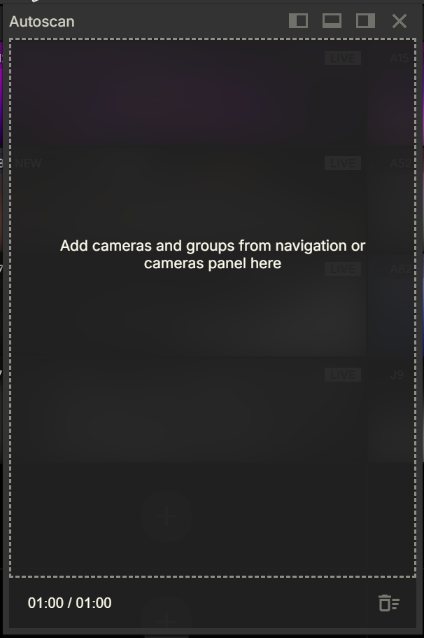
AutoScan shows one layout or camera, then the next, then the next, by itself. This is handy on a screen that nobody touches.
- Open the AutoScan menu.
- Drag layouts in from the layout menus, or cameras in from the Cameras menu.
- Drag items up or down the list to change the order.
- You can save a sequence you like and start it again any time.
- You can also use any of your categories as an AutoScan sequence.
Copy layouts to another user (owners and admins)
You can give your layouts to another user, so they don't have to build them again. Owner and Admin users can do this in Silarius Cloud Admin. Guard users can build their own layouts and copy them to other users too.
The other user only sees cameras their role allows. If a copied layout has a camera they can't see, that box stays hidden from them.
Still stuck? We'll do it with you, free.
Silarius customers can get free remote help: sign in, click one button, and a Silarius technician joins your computer.