
Get told when a camera goes offline
Set up a system alert so you hear about it when a camera loses its connection to the cloud.
By the end you will have an alert that emails you when a camera drops off Silarius Cloud.
What you need
- Access to Silarius Cloud Admin
Phone push messages for camera-offline alerts don't work at this time. Use email for these. Push messages for AI object detection work normally.
Step by step
- Open Alerts
In Silarius Cloud Admin, open the Alerts tab. If you manage more than one customer, pick the customer first.

- Start a system alert
Click Create System Event. This kind of alert is for things like a camera losing its connection.
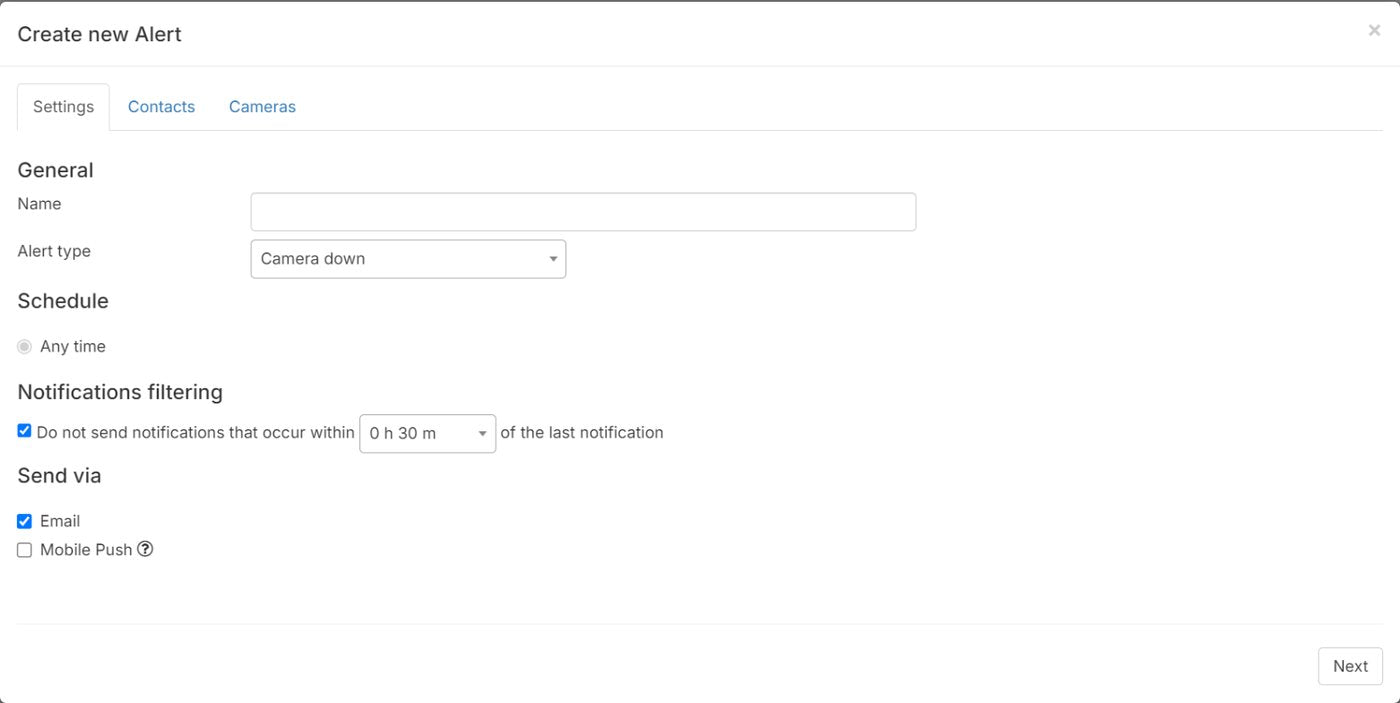
- Name and schedule it
Type a name. Choose when the alert is on: all the time or a custom schedule.
- Group messages if you want
Turn on Notification filtering to get one summary message instead of one per camera problem. This helps a lot if you have many cameras.
- Pick how to send it
Choose email as the way to send it.
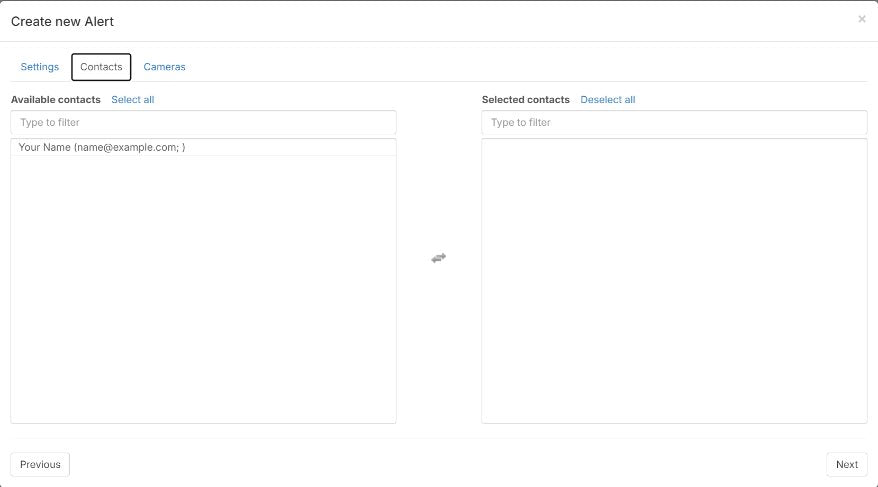
- Add cameras and people
Add one or more cameras. Then add the people who should get the alert, the same way as a sensor alert.
Common questions
Can I turn my cameras off at night to save data?
It's not a good idea. An offline camera can't record or alert. See Recording schedules and event-only recording.
Still stuck? We'll do it with you, free.
Silarius customers can get free remote help: sign in, click one button, and a Silarius technician joins your computer.