
Get a daily report by email
Choose who gets a daily summary of camera activity and system status.
By the end you will know how to add or remove people from your daily report.
What you need
- Access to Silarius Cloud Admin
Step by step
- Open Alerts for your account
In Silarius Cloud Admin, go to Customers and pick your customer account. Then open its Alerts menu.
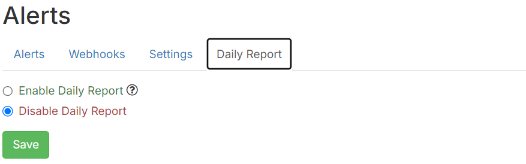
- Add or remove people
Find the daily report settings. Add the people who should get it, or remove people who shouldn't.
What is a daily report?
A daily report is an automatic summary sent once a day. It covers camera activity, system events and how your system is doing.
Good to know
- Only people in that customer account show up in the list. Only they can get its report.
Still stuck? We'll do it with you, free.
Silarius customers can get free remote help: sign in, click one button, and a Silarius technician joins your computer.