
Firewall rules: let cameras and live video through
What to allow on a locked-down network so cameras can reach the cloud and live video can play.
By the end you will know which firewall rules your cameras, your Silarius Gateway and your viewing computers need. A firewall is a guard that decides what traffic can come in or go out of your network.
What you need
- Someone who can change your firewall or router settings
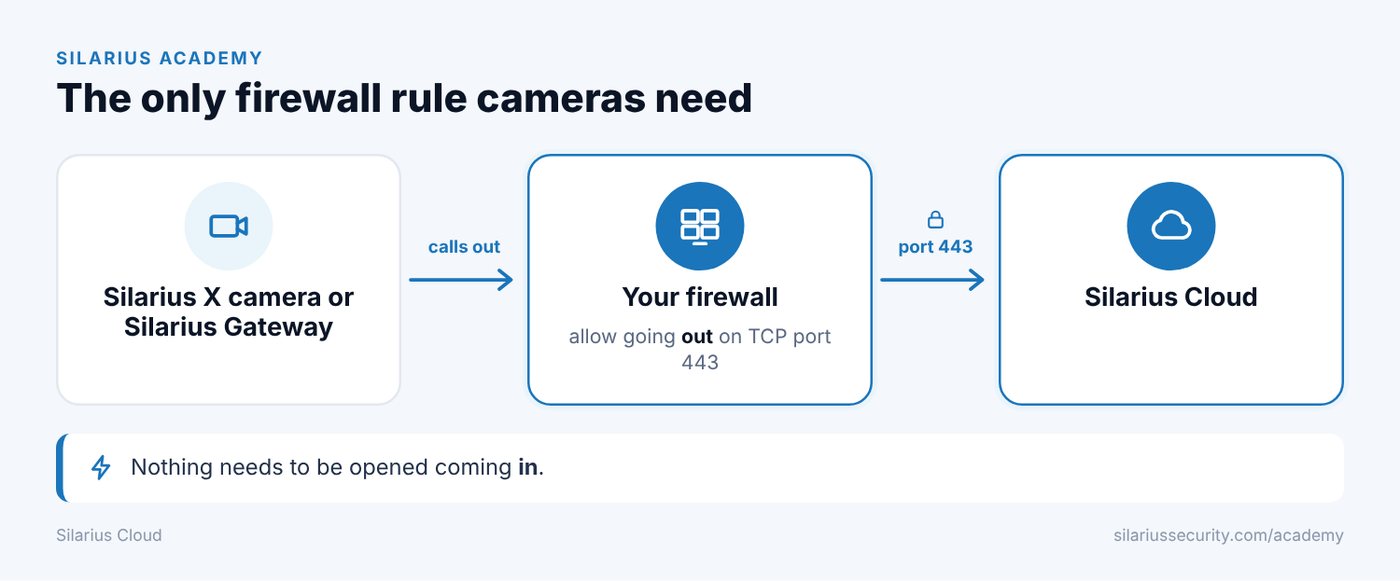
Cameras and the Silarius Gateway: allow outbound 443
Silarius X cameras and the Silarius Gateway reach out to the cloud. They use port 443 going out (TCP). A port is like a numbered door on a device.
Allow outgoing traffic on port 443 for them. You do not need to open any doors coming in.
Lock outgoing traffic to Silarius Cloud only
You can limit outgoing traffic so it only goes to Silarius Cloud. Do this with a rule that uses the cloud's name (a DNS name). Silarius support will send you the list.
Why you can't lock incoming traffic by name
Hundreds of cloud servers sit behind one name. When you look the name up, you get just one server address, and it changes. So you can't build an incoming rule from those addresses.
For example, if you opened a door on your router for a camera, you can't safely limit it to cloud addresses. They can change.
If you want to lock your network down tight, use Silarius X cameras or the Silarius Gateway. Both make a locked, encrypted tunnel to the cloud. No incoming doors are needed.
Live video won't play on a strict network
Sometimes a strict firewall blocks live video in the web app, even though cameras record fine. This happens on the network of the person watching.
Live video uses helper servers:
- Relay servers (TURN): they pass video along when a direct link can't be made.
- Address finder servers (STUN): they help your computer find its public address.
On every computer or network that watches video, allow:
- The relay servers on UDP and TCP ports 20000 to 65000.
- The address finder servers on UDP port 19302 and UDP port 80.
Silarius support will send you the list of server addresses.
Still no live video?
Check for other firewall rules that block live video traffic. Ask your network admin for help, or contact Silarius support: get free remote setup help or email us.
Still stuck? We'll do it with you, free.
Silarius customers can get free remote help: sign in, click one button, and a Silarius technician joins your computer.