
Keep recording when the internet drops
Your choices for saving video locally when your site's internet is not reliable.
By the end you will know how to avoid gaps in your video when the internet goes down. You will also know what happens to that video later.
Why gaps happen
Your cameras record to the cloud over the internet. If the internet drops, the cloud can't get the video. That leaves a gap.
To avoid gaps, keep a copy of the video at the site too. This is called local backup.
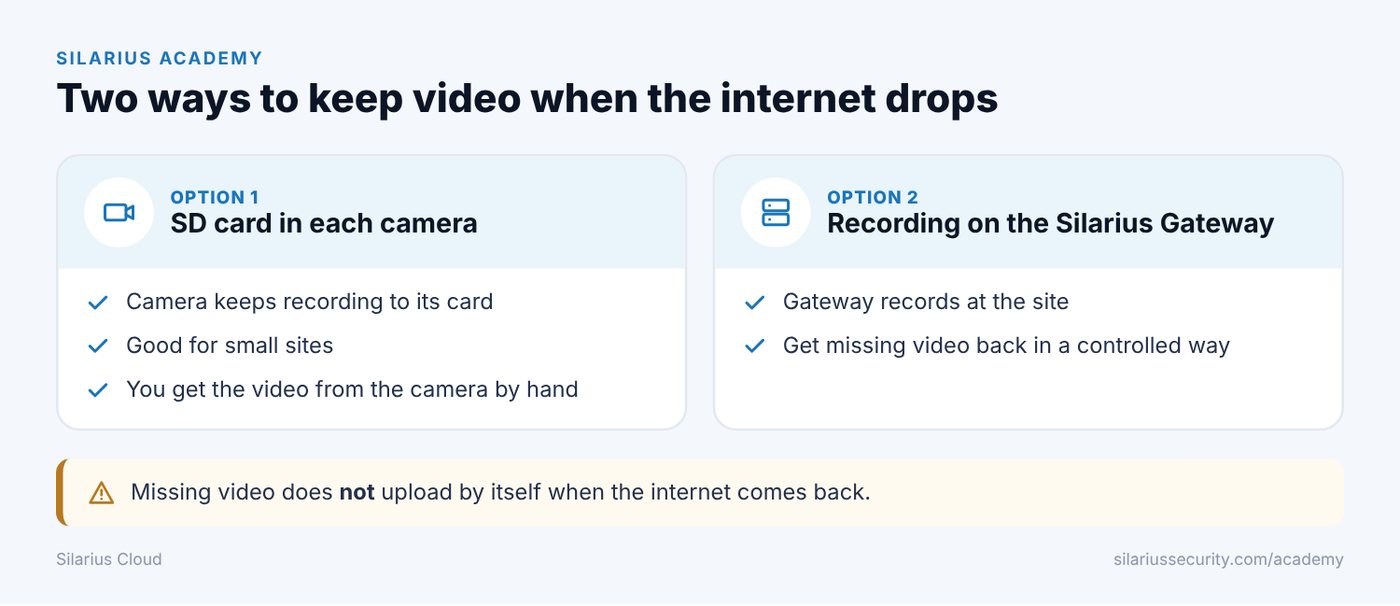
Option 1: An SD card in each camera
Many cameras have a slot for a memory card (SD card). The camera keeps recording to the card when the internet is down.
This works well for small sites, or when you only need a short backup.
The video stays on the camera. To get it, you usually work with the camera directly. Silarius Cloud does not pull it into the cloud on its own.
Option 2: Local recording on the Silarius Gateway
If your cameras connect through a Silarius Gateway, the gateway can be set up to record video at the site.
If the internet to the cloud drops, the gateway can keep recording (depending on how it is set up). When the internet comes back, you can get to that saved video using a controlled recovery process.
The gateway may save a different quality for local video than for the cloud.
Does the missing video upload by itself?
No. The Silarius Gateway does not watch for long outages and then upload everything it missed.
This is on purpose. Pushing hours of video up the moment the internet comes back could flood the connection. Then live video would suffer too. So recovery is done in a controlled way instead.
Which option is right for me?
It depends on how many cameras you have, how long you need to keep video, and how bad the internet is. Contact Silarius support: get free remote setup help or email us.
Common questions
Can I use SD cards so I don't lose video when the internet goes out?
Yes. Talk to Silarius support first so they can help you set it up the right way.
Still stuck? We'll do it with you, free.
Silarius customers can get free remote help: sign in, click one button, and a Silarius technician joins your computer.