
Remote sites on satellite or cellular internet
Tips for running cameras on cellular (4G/5G) or satellite internet without using too much data.
By the end you will know if satellite or cellular internet can work for your site. You will also know how to set up cameras so they use little data but still spot people and cars.
What you need
- Your internet plan's upload speed and data limits
Can I use satellite or cellular internet?
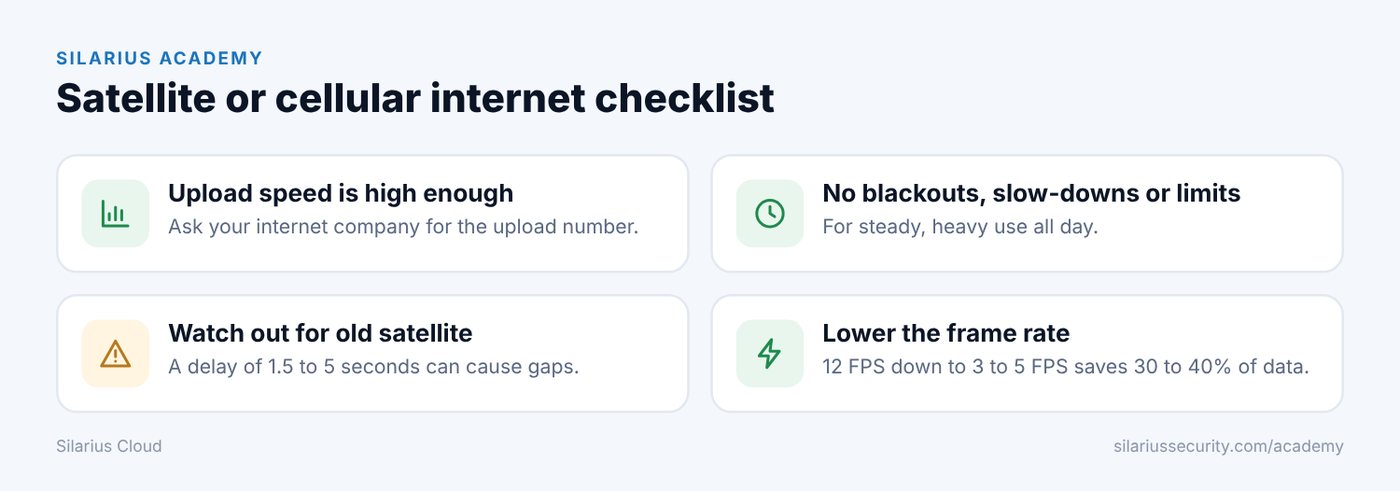
Yes. Just check two things with your internet company:
- The upload speed is high enough for your cameras.
- There are no blackout times, slow-downs (throttling) or limits for steady, heavy use.
Watch out for old-style satellite
Older satellite internet can have a long delay, called latency. It is often 1.5 to 2 seconds and can reach 5 seconds.
With that much delay, cameras wait on the cloud and hold frames. That can cause dropped frames, shaky connections and breaks in recording.
Set up cameras to use less data
Smart object detection can still work at low picture sizes. In good light it can spot objects as small as 10 pixels wide. To make that work well:
- Point the camera at a good angle. Avoid looking straight down from above.
- Keep trees and other things out of the way of the lens.
- For far-away objects, use a camera with a narrow view (a longer lens).
- Cameras mounted very high (over 8 feet) see more area but may miss faces and clothing.
- Mount the camera firmly so it does not sway. Swaying causes false motion.
Get the light right
- Light the area well. Don't point a camera from a dark spot toward a bright one.
- Use WDR (wide dynamic range) for scenes with bright and dark parts. Keep it low, because high WDR can blur moving things.
- Avoid pictures that are too bright or too dark.
- Use a fast shutter speed, 1/100 of a second or faster. This cuts motion blur.
Lower the frame rate
If you don't need to catch fast movement, like on a building site, drop the frame rate from 12 FPS to 3 to 5 FPS. That can save 30–40% of data or more.
Don't go to 1 FPS or below. It barely saves more than 3 FPS, and detection gets worse.
With good settings, a camera can still spot people and cars while using under 200 Kbps. In a clear, high-contrast scene, even 640 × 360 pixels at 5 FPS can work.
Good to know
- Many cameras run more reliably at lower frame rates.
- Check how much data you will use with Work out how much data your cameras use.
Still stuck? We'll do it with you, free.
Silarius customers can get free remote help: sign in, click one button, and a Silarius technician joins your computer.