
Silarius X camera status, and fixing a moved camera
Understand what each Silarius X status means and get a moved camera back online.
By the end you will know what each Silarius X camera status means, and how to fix a camera that stopped working after a move.
The camera must reach the internet and be able to look up website names (DNS), or it can't connect.
Step by step
- Check automatic IP (DHCP)
If the camera gets its IP address automatically, make sure it got a good one. The new network must let it reach the internet.
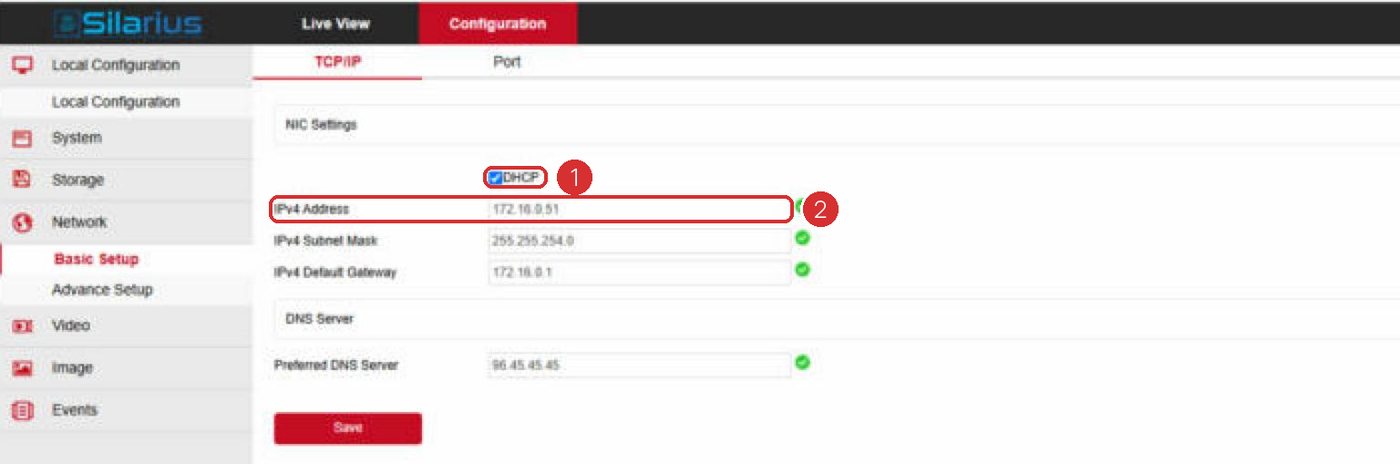
- Check a fixed IP
If the camera uses a fixed IP address, check the IP address, default gateway and DNS server. Change them to match the new network.
- Look for a double address
Make sure no other device on the network uses the same IP address. Two devices with one address can't both talk.
- Check the firewall
If the network has a firewall (a security guard for the network), it must let the camera send data out on TCP port 443 (HTTPS).
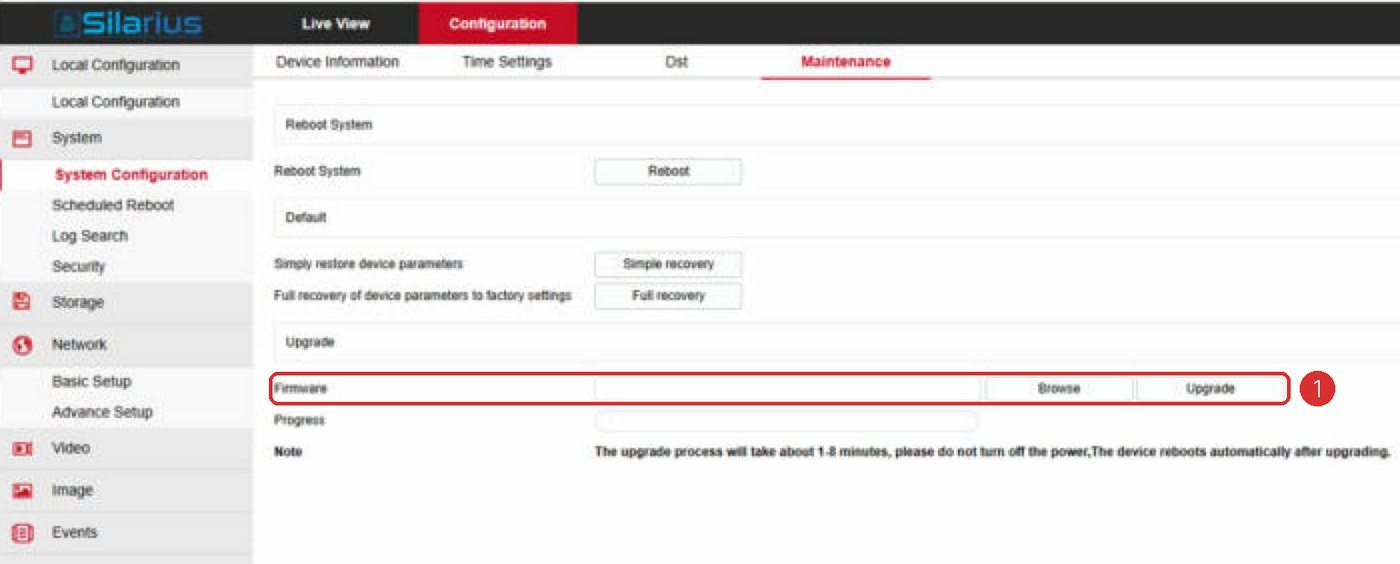
- Restart the camera
Save your changes and restart the camera if needed. Then check whether it comes back online in Silarius Cloud.
What each status means
- Assigned, Not Initialized: the camera was added to your account but has never been online. It changes to Connected by itself the first time it gets online.
- Connected: the camera is fully set up. It is online now, or it has been online at least once since it was added.
- Initialized, Not Assigned: the camera was signed up ahead of time but not added to an account yet. Installers do this to have cameras ready to go. Once it is installed, it just needs to be added to the right account.
- Ready and Registered: old labels that are no longer used.
Good to know
- A Silarius X camera usually needs no changes when you move it. Problems after a move almost always come from the new network's settings.
Common questions
I did all the checks and it still doesn't work.
The new network or internet line may need a closer look. Contact Silarius support: get free remote setup help or email us.
Still stuck? We'll do it with you, free.
Silarius customers can get free remote help: sign in, click one button, and a Silarius technician joins your computer.