
My NVR or camera keeps restarting
Why a recorder or camera on Silarius Cloud may restart, and how to stop it.
By the end you will know why your NVR (recorder) or camera keeps restarting when it is on Silarius Cloud, and how to fix it. The usual cause: a camera sends more video than its plan allows.
Step by step
- Check the camera's plan
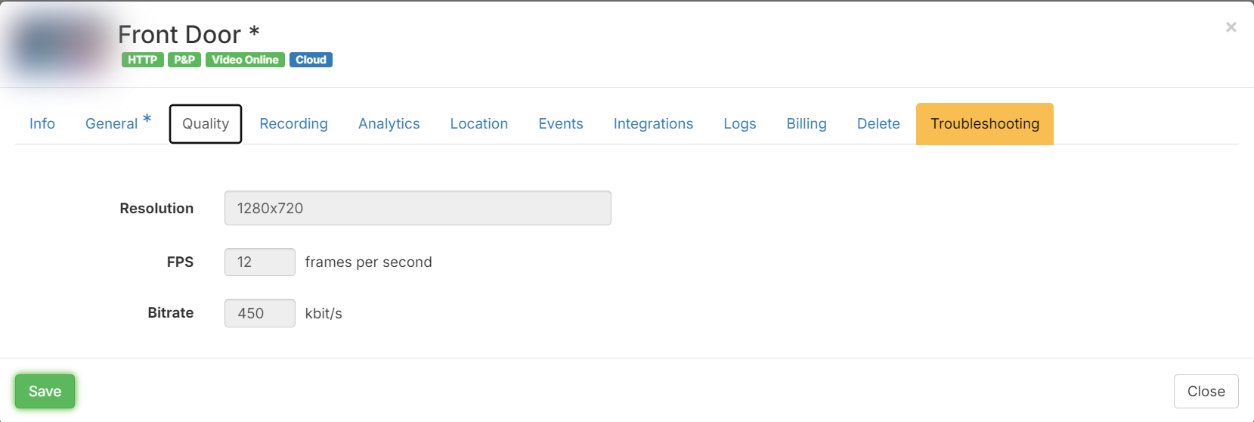
In Silarius Cloud Admin, open the camera and click the Quality tab. Look at the Resolution, FPS and Bitrate your plan allows.
- Check what the camera really sends
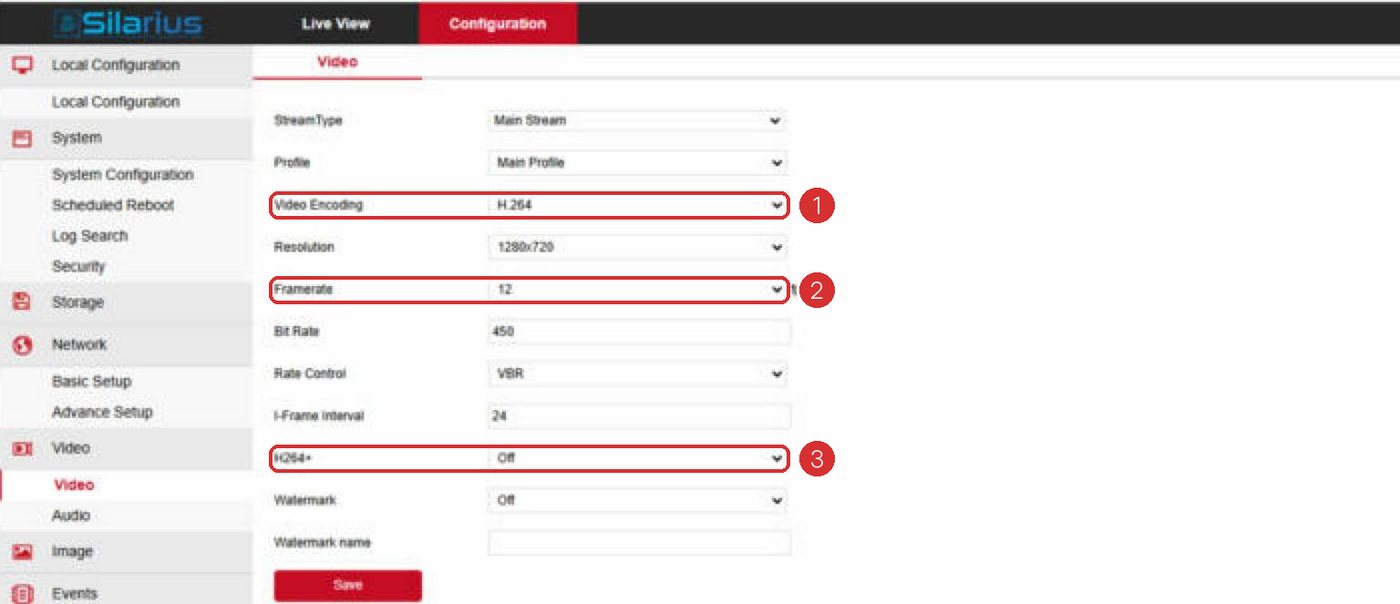
Open the camera's own page (or the NVR's camera settings). Look at its resolution, frame rate and bitrate for the stream Silarius Cloud uses.
- Make them match
Set the camera to the same or lower numbers than the plan. Save on the camera.
- Watch for a day
Let it run. The restarts should stop.
Why it happens
Silarius Cloud keeps every camera inside its plan. When a camera sends more than about 20% over its plan for a long time, the cloud steps in. It does this in three steps, with 15 to 30 minutes between each:
1. It tries to save the right settings on the camera. 2. It restarts the video stream. This can leave a gap of 2 to 10 seconds. 3. If that still does not work, it restarts the device.
On an NVR, that last step restarts the whole recorder.
Still restarting?
If the numbers match and it still restarts, something else is wrong. Contact Silarius support: get free remote setup help or email us.
Still stuck? We'll do it with you, free.
Silarius customers can get free remote help: sign in, click one button, and a Silarius technician joins your computer.